Storefront API
Everything a shopper browses and buys.
- Products
- Collections
- Pricing
- Cart
- Checkout
You keep Shopify’s commerce engine — products, customers, orders, payments, checkout. What changes is the storefront in front of it. Instead of fitting your business into a prebuilt theme, the storefront gets designed around your products, your customers and the way you actually sell.
Shopify Hydrogen developer and eCommerce consultant. Ten years running eCommerce for brands, now building headless Shopify storefronts end to end.
SAME ENGINE, DIFFERENT FRONT
A normal Shopify store puts a theme in front of the commerce engine. The theme decides what a product page can hold, where things are allowed to go, and how far you can push it before you are fighting it.
Headless Shopify separates the two. Shopify keeps doing what it is good at: catalogue, inventory, customers, orders, payments, checkout. The storefront becomes an application of its own, built with Shopify Hydrogen, talking to Shopify over its APIs.
Nothing moves off Shopify. You log into the same admin. Orders arrive the same way. Your accountant sees no difference.
Both setups run on the same Shopify. On a standard Shopify store the chain is fixed: Shopify feeds a theme, and the theme is what the customer sees. With Shopify Hydrogen, Shopify talks two ways with its APIs, the APIs talk two ways with a storefront you own and build, and that storefront is what the customer sees.
Standard Shopify
The theme decides what is possible.
Shopify Hydrogen
You decide what is possible.
WHAT CONTROL BUYS
These are not features from a brochure. Each one is a decision from a store I have built, and each one was possible because the front end was ours to design.
On mobile the add-to-cart goes sticky on the product page, so the decision never scrolls away while somebody reads the details underneath it.
Toyland case studySizes, engraving and the purchase action stay together, above the material story. The choice the customer has to make is not separated from the choice they came to make.
Pansuara case studyA large LEGO catalogue is shopped by theme, age, price and piece count. Those became real paths: a theme directory, shop-by-age and shop-by-price pages, and facets on every collection.
Klosslabbet case studyTeak Parcels sells to investor prospects, not to shoppers. It has its own landing experience and its own lead funnel inside the same store, instead of being squeezed into a collection page.
Pansuara case studyThe customer account carries a referral mechanic that pays out real store credit rather than discount codes, with the credit and expiry emails running as Klaviyo flows.
Pansuara case studyDepartments, themes and characters, age and price bands: one structure behind the mega menu, the category facets and predictive search, so discovery behaves the same way wherever it starts.
Toyland case studyTHE SHOPIFY APIS
Most of a headless build is Shopify API integrations. You never have to touch this detail yourself — but it helps to know what each door lets you decide.
One Shopify commerce core holds the products, customers, orders and checkout. Three API surfaces read from it: the Storefront API, the Customer Account API and the Admin API. All three feed the single storefront experience the customer uses.
Storefront API
Everything a shopper browses and buys.
Customer Account API
Everything that happens after the order.
Admin API
Everything the business runs on behind the scenes.
Everything a customer needs in order to shop
Products, collections, prices, availability, cart, checkout and search. Shopify holds the truth. You decide how customers meet it: how a product page is laid out, how filtering behaves, what a customer sees when a size is gone, how a bundle is presented.
What happens after the purchase
The account is not just a list of orders. Orders, returns, store credit, referrals, registrations and saved products can all live in one place a customer actually wants to open. Retention gets designed here rather than bolted on afterwards.
Making Shopify fit the rest of the business
The back-office door. Catalogue imports, inventory sync, workflows that fire when something happens, custom fields through metafields and metaobjects, and connections to the systems you already run.
DAY TO DAY
“Will I need a developer every time I want to change a banner?”
No. What your team can edit is a decision made at the start of the build, and it is one of the first things I ask about.
Shopify already holds structured content through metafields and metaobjects. Homepage modules, size guides, FAQs, buying guides, promotional blocks and navigation can all be built from those, which means they are edited in the Shopify admin your team already uses.
If a content team wants proper drafts, scheduling and previews, a headless CMS goes in alongside Shopify. That is a preference, not a requirement — and it is worth its cost only when somebody is going to use it.
Banners, rows, featured collections, seasonal blocks.
Size guides, buying guides, FAQs, delivery and returns copy.
Navigation, promotional blocks, campaign pages, badges.
Materials, care, specifications and anything else held in metafields.
THE REST OF THE BUSINESS
Going headless does not mean replacing your stack. The ERP, the PIM, the 3PL, the CRM, the email platform, the reviews and the analytics all stay where they are. What changes is that the storefront decides how their data is used, instead of accepting wherever an app widget happens to drop it.
The systems already running the business — ERP or PIM, third-party logistics, CRM, Klaviyo, Judge.me, GA4 and the CMS — keep exchanging data with Shopify exactly as they do today. Hydrogen sits below Shopify as the experience layer that draws on all of it, and it is that layer the customer meets.
The systems already running the business
Review data from a provider like Judge.me is yours to place: the rating beside the price, the reviews that mention fit under the size guide, a filter for photographs only. Not one block at the bottom of the page because that is where the app installs itself.
A customer does something the business cares about — configures a product and leaves, redeems credit, joins a waitlist. The storefront captures that event with the context around it, sends it to Klaviyo, and the right flow runs. The email can be specific because the storefront knew something specific.
PERFORMANCE
I am not going to promise you a score. Real-store performance depends on your images, your catalogue, your third-party scripts and how much marketing needs to load on every page. What a custom storefront gives you is control over the three things that decide it.
Rendering runs close to the customer rather than waiting on a round trip to a single origin. Pages that can be cached are cached; pages that have to be personal stay personal.
A theme ships whatever the theme and its apps ship. Here, every script on the page is there because somebody decided it should be — and it can be removed when it stops paying for itself.
The price, the first image and the buy box are what a customer needs immediately. Reviews, recommendations and tracking can wait. That order is something you set, not something you hope for.
Anyone quoting you a guaranteed score before they have seen your catalogue and your marketing stack is guessing.
HONESTLY
I will not recommend headless just because I can build it. If a theme does the job, that is what I will tell you. A Shopify Hydrogen migration is worth doing when there is a commercial reason for it, and not before.
HOW IT GETS BUILT
What you sell, to whom, at what margin, and what has to change for the store to earn more. Before anything is drawn.
Navigation, discovery, the product page, the account — specified as states, including loading, empty, no match and error, not only the happy path.
The data model, metafields and metaobjects, integrations, and what is cached versus what has to be personal.
Hydrogen and TypeScript against your real Shopify catalogue, deployed on Oxygen or Cloudflare.
Real products, real prices, real stock states, on real devices. Checkout tested end to end before anyone else sees it.
Analytics that answer commercial questions, then the next round of changes based on what they say.
PROOF
 PRE-LAUNCHPansuaraA DTC teak brand. Storefront, customer account, referral mechanic and lifecycle flows are built and configured. No customer traffic has run through it yet, so there are no results to quote.CASE STUDY
 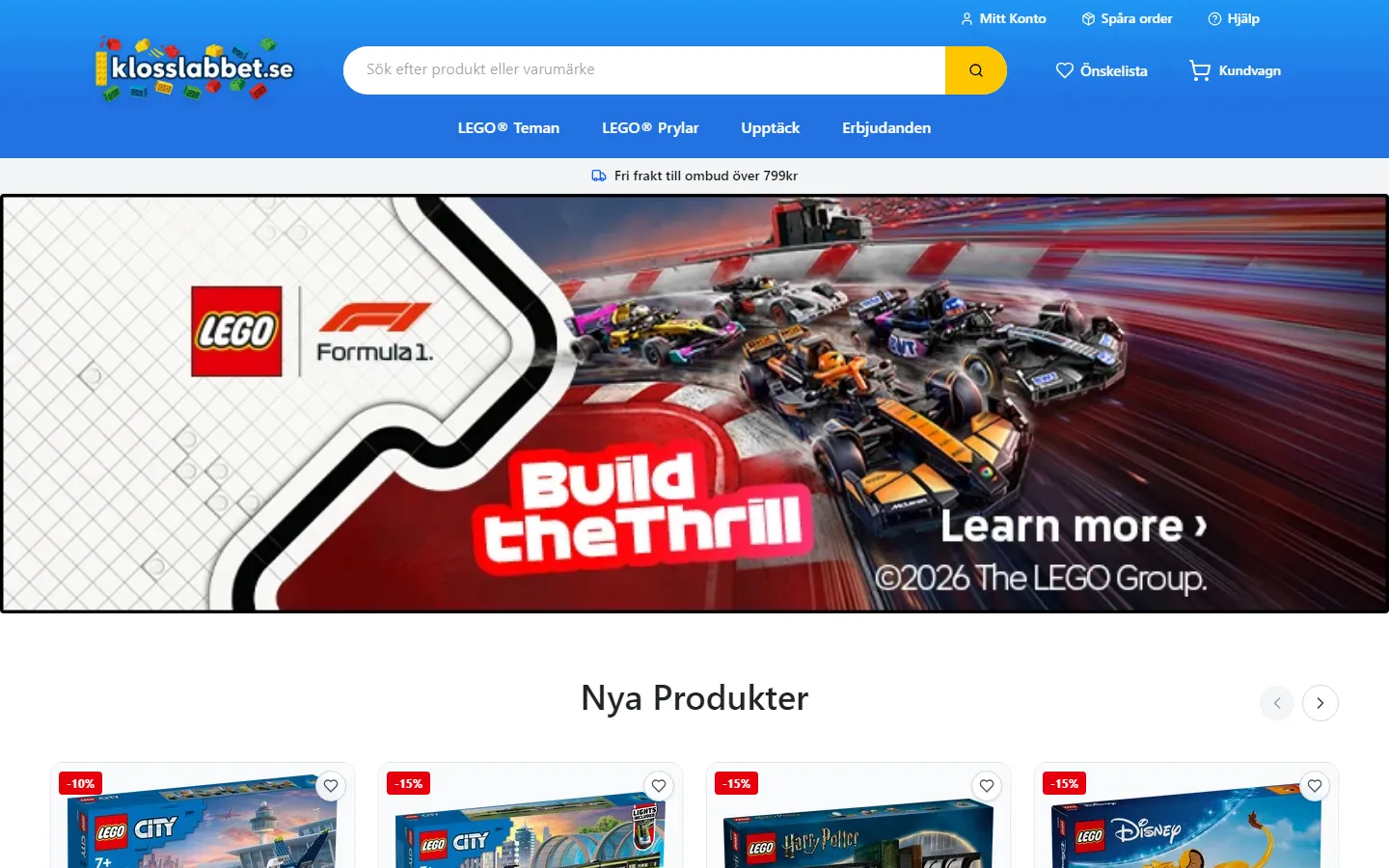 LIVE · HANDED OVERKlosslabbetA Swedish LEGO retailer, built and launched on my own, live since September 2025 and handed over that December with documentation. The client has operated it since.CASE STUDY
 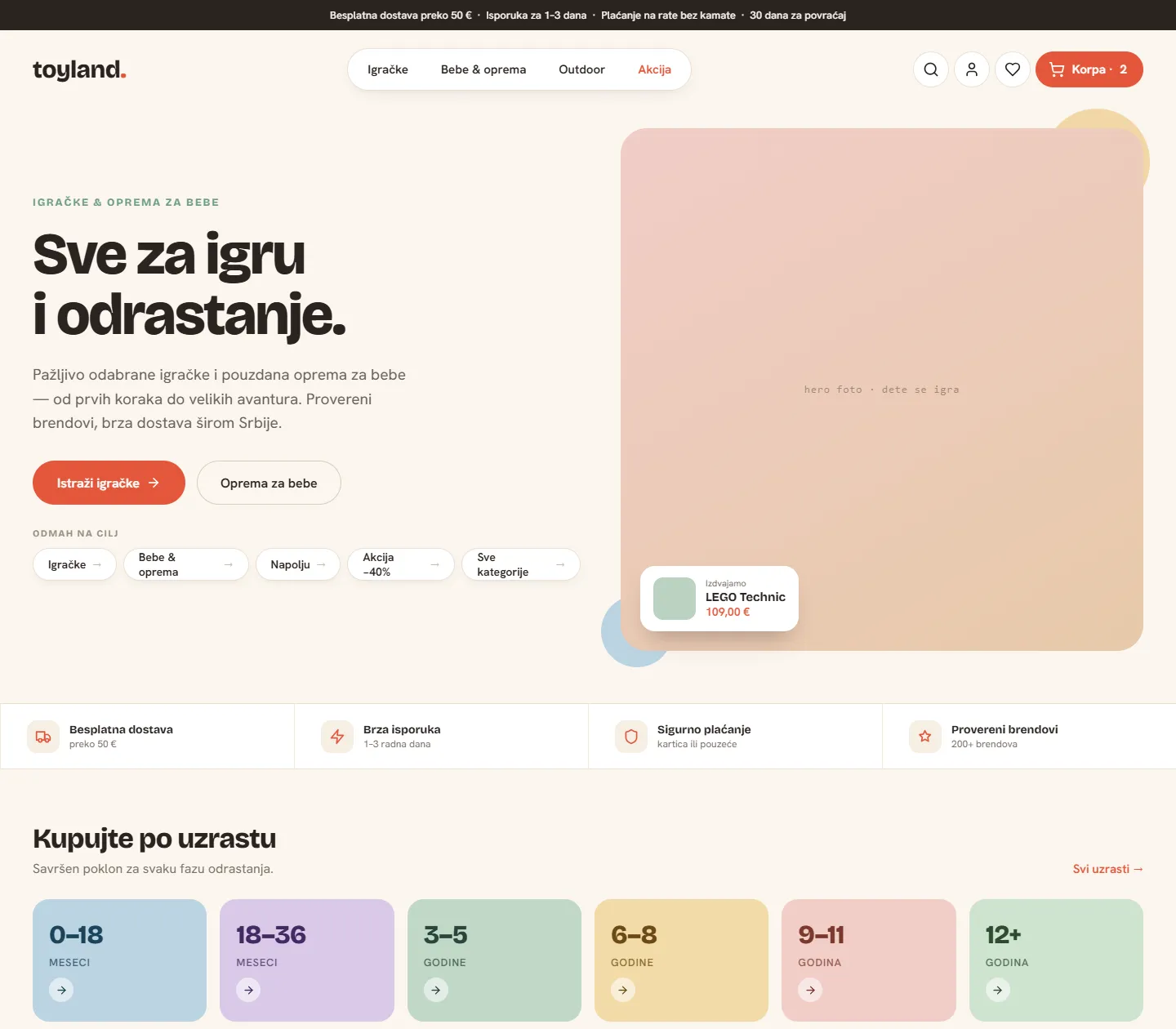 IN DEVELOPMENTToylandA toy and baby retailer’s storefront redesign: the commerce experience designed end to end, then built in Hydrogen against the real Shopify catalogue. Not yet live.CASE STUDY
 QUESTIONS I GET ASKED
To build, yes. A theme is bought and configured; a custom Shopify storefront is designed and built. Running it is a different matter — hosting is modest, and stores often drop paid apps whose job the storefront now does properly. The question is whether the extra build cost buys enough revenue or enough saved time to be worth it. If it does not, say no.
Yes. Homepage modules, size guides, FAQs, buying guides, promotional blocks and navigation are built on Shopify metafields and metaobjects, so they are edited in the Shopify admin your team already knows. A headless CMS can be added if the content team wants drafts, scheduling and previews.
Yes. Checkout stays Shopify’s, with your payment providers, your tax and shipping configuration, and Shop Pay if you use it. Headless changes the storefront in front of checkout, not the checkout itself.
It depends on the app. Anything that works through Shopify’s APIs — reviews, email, subscriptions, loyalty, search — generally carries over, and usually fits better because you decide where its data appears. Apps that work by injecting a widget into a theme do not, so we go through your app list early and decide which ones stay, which get replaced and which were never earning their keep.
Yes, and it is less dramatic than it sounds. Products, customers, orders and checkout stay exactly where they are in Shopify; the storefront in front of them is what gets rebuilt. A Shopify Hydrogen migration is usually staged, with URL structure, redirects and SEO planned before anything is switched over.
IS IT RIGHT FOR YOU?
If two or three of those sound like your store, it is worth a conversation. If none of them do, keep the theme — and I will tell you so.
TALK ABOUT YOUR STORE